WIFI484 - Wireless Relay Module
Devantech
Overview
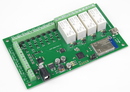
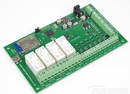
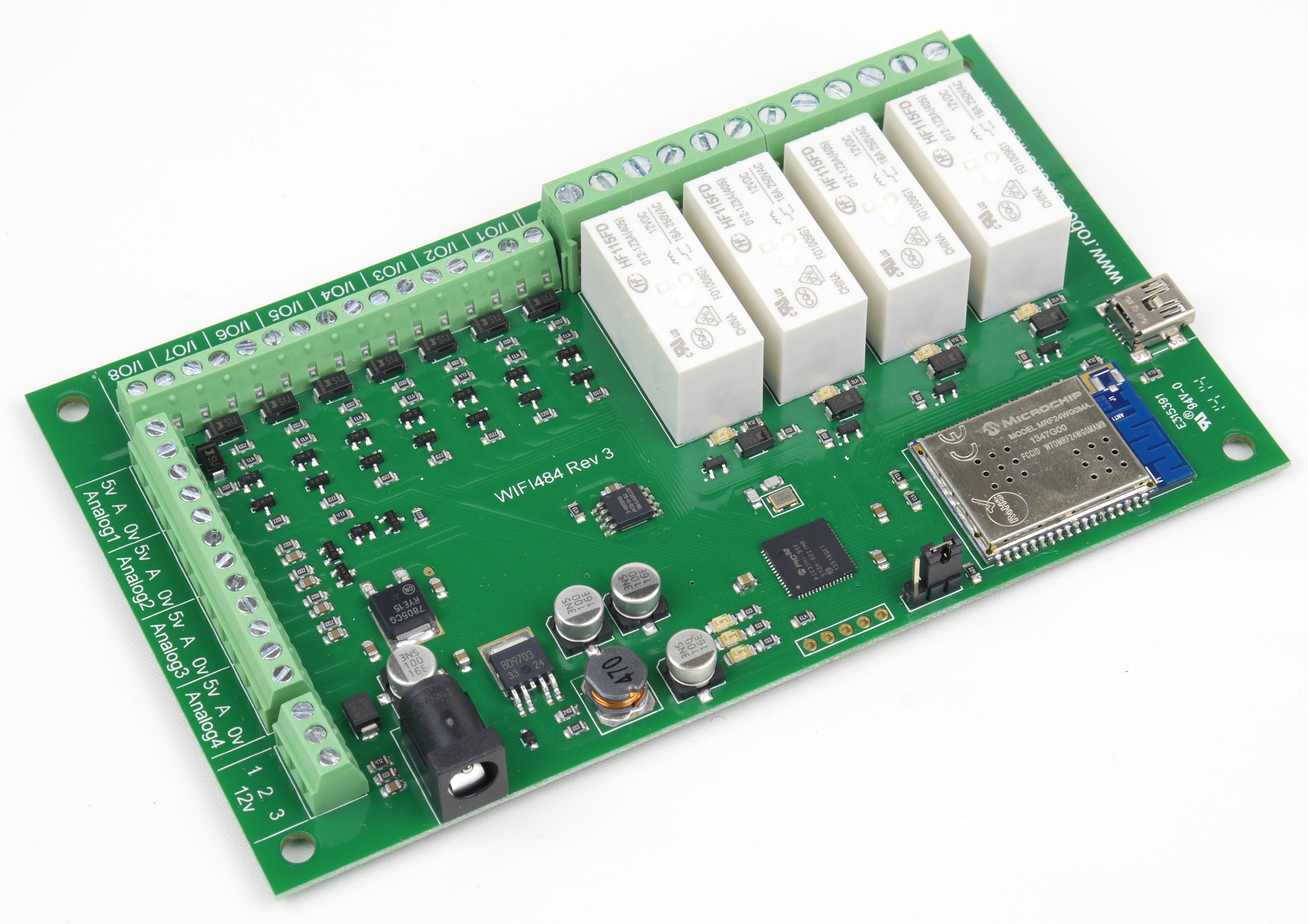
The WIFI484 provides four volt free contact relay outputs with a current rating of up to 16Amp each, 8 digital I/O and 4 analogue inputs. The module is powered from a 12vdc supply which can be regulated or unregulated. The DC input jack is 2.1mm with positive core polarity, DC supplies are required to supply at least 500mA at 12vdc. The relays are SPCO (Single Pole Change Over) types. The normally open, normally closed and common pins are all available on the screw terminals. Digital inputs are able to be configured to remotely control outputs on all of our new ethernet relay boards (both wired and WIFI), the older ETH-RLY02 and ETH-RLY16 are not compatible however. This offers the opportunity to construct a system where an input can control an output anywhere on the earth provided both locations are connected to the network/internet.
Operating Temperature
-40°C to +70°C
LED indication
The WIFI484 provides an LED to indicate each of the relay states and three for board status, these are:
- Board power - red LED
- WIFI connected - yellow LED
- USB connected - green LED
Relay power rating
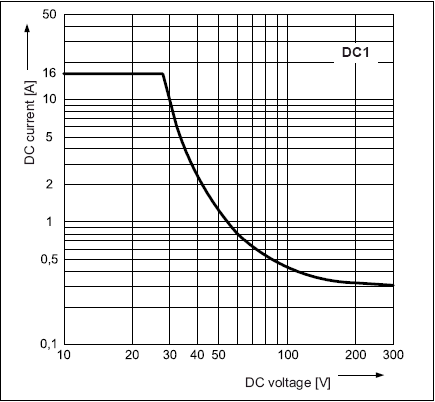
If the contact load voltage and current of the relay are in the region enclosed by the solid and dotted lines in the figure below, the relay can perform stable switching operation. If the relay is used at a voltage or current exceeding this region, the life of the contacts may be significantly shortened.
| load type | Typical applications | Rating | Max DC load capacity
|
| AC1 | Non inductive or slightly inductive loads |
16A @ 250V AC | |
| AC15 | Control of electromagnetic load (>72VA) |
3A @ 120V AC 1.5A @ 240V AC |
|
| AC3 | Control of motor | 750W | |
| DC1 | Non inductive or slightly inductive loads |
16A @ 24V DC | |
| DC13 | Control of electromagnetic loads |
0.22A @ 120V DC 0.1A @ 250V DC |
Download
A full datasheet for the relays used on the WIFI484 is here.
Control
The relay board communicates via TCP/IP and is controlled with a set of commands, which are sent to the board's IP-address on a configurable port. The commands are sequences of bytes, for example:
The sequence 0x20, 0x01, 0x32 will turn on relay number 1 for 5 seconds. A full specification can be found at the manufacturer's spec (see link below).
Control via ASCII-commands and also a long requested feature of control via http is possible with all available firmware versions. For example: Sending a http GET to
192.168.0.200/io.cgi?DOI1=10
sets relay 1 on active for 1 second (This would use the default address 192.168.0.200). You can test these functions by typing them directly into the address bar of most internet browsers.
Also be aware that you may need to disable http authentication in the http configuration if your control device does not support it.
A full specification and firmware updates can be found at the manufacturer's spec (see link 'Technical Specification' below).
Connections
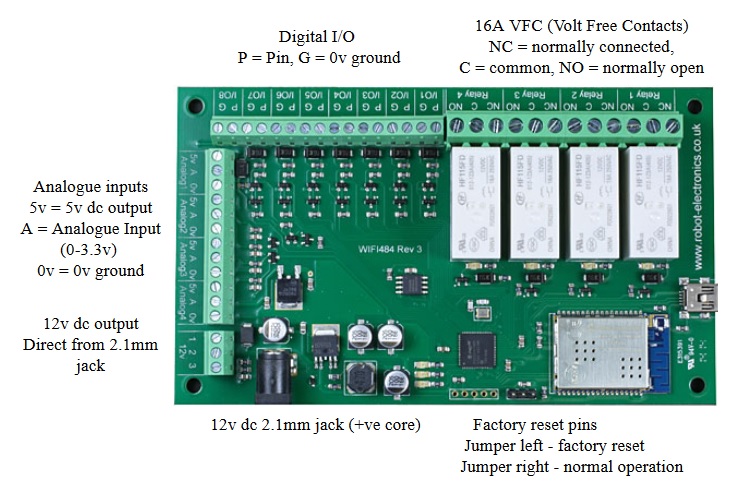
Connection of the WIFI484 to your network
The WIFI484 is configured to connect to your network by means of a USB connection and configuration program, which can be downloaded at the manufacturer's site (see link at bottom).
Mapped inputs
Digital inputs of the ETH484, ETH484-B, ETH044, ETH8020 or WIFI484 are able to be configured to remotely control outputs on all of Devantech's new ethernet relay boards (both wired and WIFI), the older ETH-RLY02 and ETH-RLY16 are not compatible however. The mapped inputs offer simple linking and versatile usage, an input in one country can control a output in another, or across a small network.
Possible target boards are:
The independent inputs can be mapped to different relays (on the same or different boards). In the "Address of target board", you can enter an IP address or hostname (which will be converted to an IP address by the DNS server supplied in the board configuration). If the module is on the local network then you can use the assigned IP address, if the target is over the internet then you need to supply the gateway in the configuration (internet source IP like your router) and the "Address of target board" is the IP address of the targets internet connection (to point at the router).
Dimensions
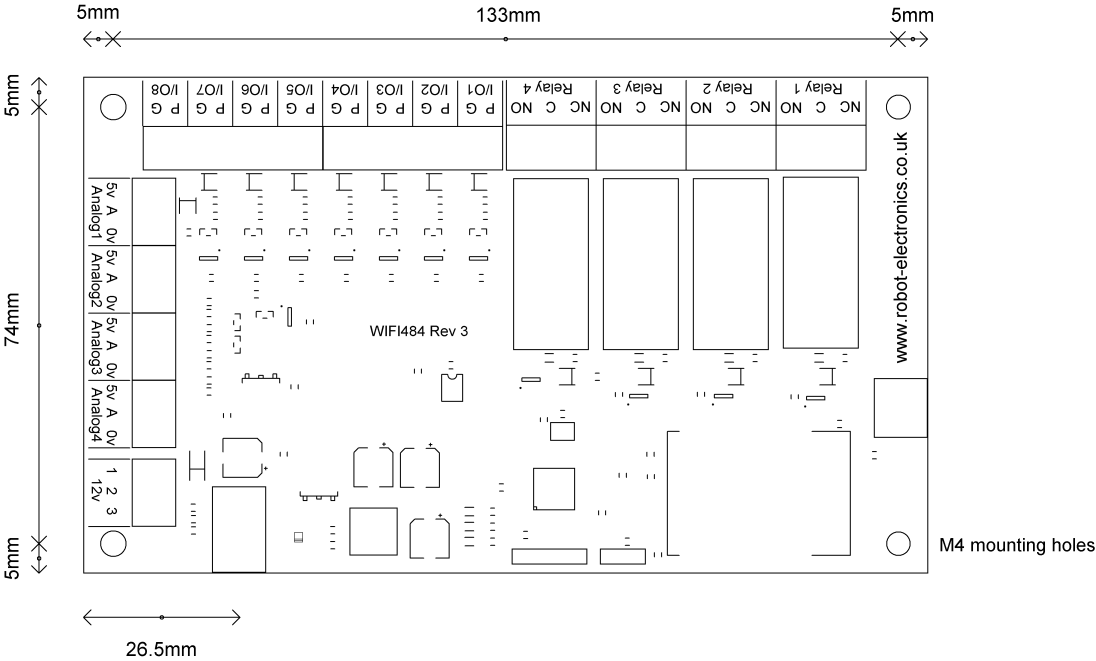
Manufacturer's data
Accessories
plus EUR 5.95 shipping costs
Prices incl. VATEUR 15.11
plus EUR 5.00 shipping costs
Prices excl. VAT
Article no.: DEV-PA122521
More details...
Product information for: WIFI484 - Wireless Relay Module
Publishing date (date of last technical specification): 2014-06-06
Length: 143 mm
Width: 84 mm
Weight: 150 g
Shipping weight: 200 g
Manufacturer: Devantech
Brand: ROBOT ELECTRONICS
Article number: DEV-WIFI484
Manufacturer's part number: WIFI484
The article WIFI484 - Wireless Relay Module is listed in the following categories:
Modules > Relay > Wireless
plus EUR 5.95 shipping costs
Prices incl. VATEUR 43.68
plus EUR 5.00 shipping costs
Prices excl. VAT
Article no.: DEV-ESP32LR42
More details...
plus EUR 5.95 shipping costs
Prices incl. VATEUR 182.34
plus EUR 5.00 shipping costs
Prices excl. VAT
Article no.: DEV-WIFI8020
More details...
plus EUR 5.95 shipping costs
Prices incl. VATEUR 89.90
plus EUR 5.00 shipping costs
Prices excl. VAT
Article no.: DEV-WIFI484
More details...
plus EUR 5.95 shipping costs
Prices incl. VATEUR 32.76
plus EUR 5.00 shipping costs
Prices excl. VAT
Article no.: DEV-ESP32LR20
More details...
plus EUR 5.95 shipping costs
Prices incl. VATEUR 63.85
plus EUR 5.00 shipping costs
Prices excl. VAT
Article no.: DEV-ESP32LR88
More details...
plus EUR 5.95 shipping costs
Prices incl. VATEUR 89.90
plus EUR 5.00 shipping costs
Prices excl. VAT
Article no.: DEV-WIFI008
More details...
plus EUR 5.95 shipping costs
Prices incl. VATEUR 73.93
plus EUR 5.00 shipping costs
Prices excl. VAT
Article no.: DEV-WIFI002
More details...
Contact us
Order online now
Availability
Not in stock. We will obtain the article for you.
Estimated manufacturer's time of delivery: 30 days
updated: 17/11/2023
Information on currency
EUR 106.98 = GBP 91.47
EUR 89.90 = GBP 76.87
(€1=GBP0.85505)
EUR 106.98 = USD 122.47
EUR 89.90 = USD 102.92
(€1=USD1.1448)
EUR 106.98 = CAD 154.22
EUR 89.90 = CAD 129.60
(€1=CAD1.4416)
EUR 106.98 = AUD 167.85
EUR 89.90 = AUD 141.05
(€1=AUD1.5690)
Share
About ROBOT ELECTRONICS
ROBOT ELECTRONICS is a brand by English manufacturer Devantech Ltd., based in Norfolk. Product range comprises sensors, in particular ultrasonic or compass, servocontrollers as well as small robot drive systems or relay modules with various interfaces. Sensors are produced in England and are of consistently high quality.
More from ROBOT ELECTRONICS